
How to Choose the Right Computer Vision Model for Your Business
Sep 11, 2026
first-story
Seeking
Visibility


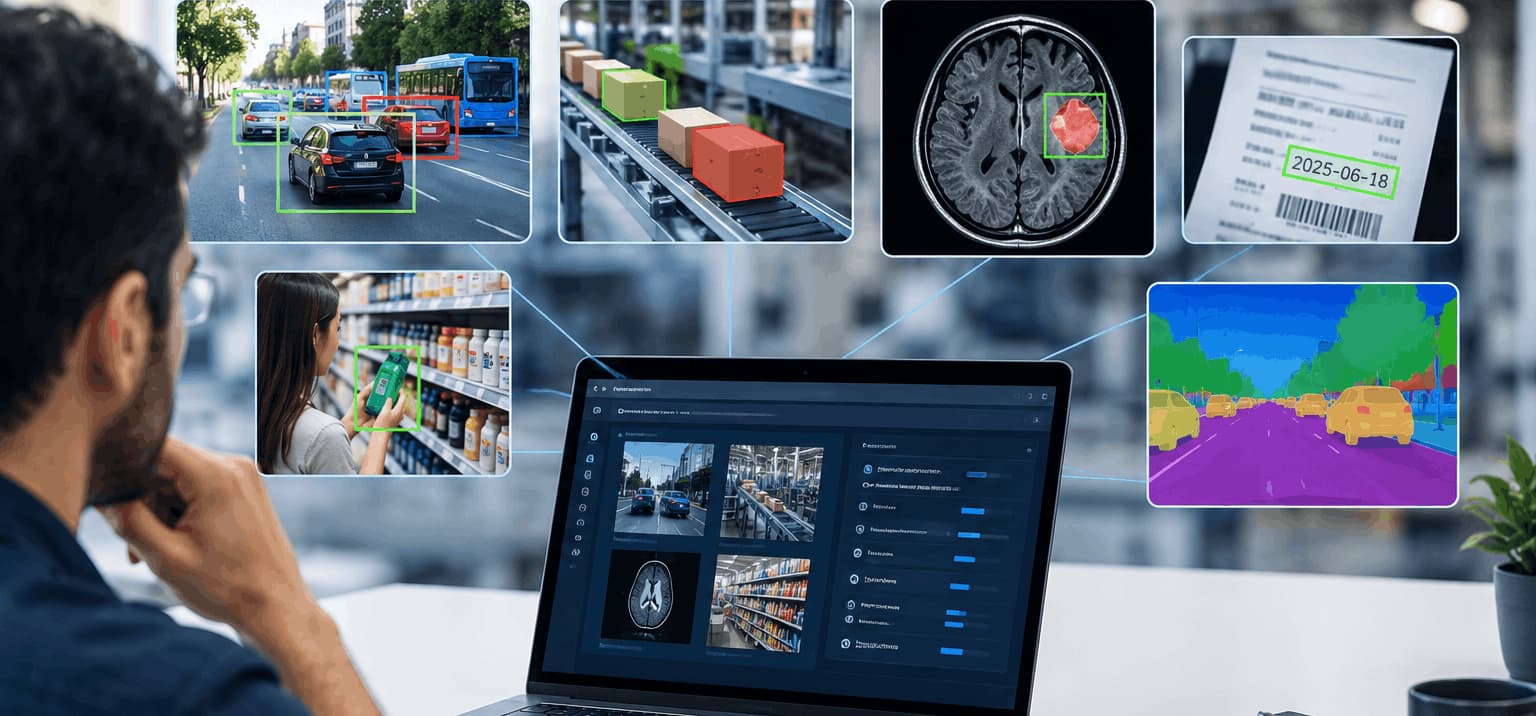
How to Choose the Right Computer Vision Model
A computer vision project can look simple from the outside. You have images or videos, you want a system to understand them, and you need a model that can make useful predictions. But once development begins, the real challenge often becomes clear: which model is actually right for the problem?
A model that performs well on a benchmark may not work equally well with real cameras, lighting, image quality, or business conditions. In this blog, we will explore how to choose the right computer vision model based on the task, data quality, performance, deployment needs, cost, and long-term requirements.
How to Choose the Right Computer Vision Model for Your Business
Choosing a computer vision model is not just about finding the one with the highest accuracy. The right choice depends on what you need the system to do, the quality of your data, where it will run, and how it needs to perform in real conditions.
For businesses considering computer vision development services in India, these factors can help narrow down the right approach and avoid unnecessary development work.
1. Start With the Business Problem
Before comparing models, be clear about what you want the system to achieve. A manufacturing company may need to identify product defects, while a retailer may want to analyze customer movement.
Ask yourself:
- What needs to be detected, classified, or tracked?
- Will the system work with images, video, or both?
- How quickly should it produce results?
- How much accuracy does the application require?
- What would happen if the model makes a wrong prediction?
A clear objective makes choosing the right computer vision model much easier because it helps narrow down the approaches that actually fit the use case.
2. Match the Model to the Vision Task
Not every computer vision model is designed for the same type of work. Start by identifying the task your business requires.
- Image classification: Determines what an image represents, such as identifying whether a product is acceptable or defective.
- Object detection: Finds specific objects and their locations within an image.
- Image segmentation: Identifies the exact pixels belonging to an object or region.
- Object tracking: Follows objects across multiple video frames.
For example, a warehouse may need object detection to locate packages, while another business may use conversational AI development services to handle customer questions through an AI-based chat system. These applications have very different goals, which is why selecting technology based on the actual business requirement is important.
Understanding the task prevents businesses from selecting a model that is technically impressive but unsuitable for the actual requirement.
3. Examine Your Training Data
The quality of your data can have a major effect on model performance. Even a sophisticated model may struggle when trained on limited, inconsistent, or unrepresentative data.
Before training, review:
- Image resolution and quality
- Lighting and camera conditions
- Different backgrounds and angles
- Object size and visibility
- Number of available examples
- Label accuracy
- Class balance
- Rare or unusual cases
For example, computer vision defect detection may need images showing both obvious and very small defects. If the training data only contains clear examples, the model may struggle with scratches, shadows, reflections, or partially visible defects after deployment.
The closer your training data is to real operating conditions, the more useful your model evaluation will be.
4. Look Beyond Accuracy
Accuracy is important, but it should not be the only metric you consider.
A model may have excellent accuracy in testing but still be too slow or resource-intensive for your application. Depending on your use case, look at:
- Precision: How often positive predictions are correct.
- Recall: How many relevant cases the model successfully identifies.
- F1 score: A balance between precision and recall.
- Inference speed: How quickly predictions are generated.
- Resource usage: How much memory and processing power the model requires.
For a real-time video application, processing speed may matter as much as accuracy. For an inspection system, missing a genuine defect may be more costly than generating an occasional false alert.
The best model is the one that performs well against the metrics that actually matter to your business.
5. Consider Where the Model Will Run
Your deployment environment can influence which model makes sense.
A model running on a powerful cloud server has different requirements from one running directly on an industrial computer or edge device.
Consider whether your system will use:
- Cloud infrastructure
- On-premises servers
- Edge devices
- Mobile devices
- Industrial computers
Cloud deployment can provide more computing power and easier scaling. Edge deployment can reduce latency and limit the need to send visual data to a remote server.
However, edge devices often have tighter limits on memory, processing power, and energy use. These differences should be considered before selecting and optimizing a model.
6. Balance Model Performance With Practical Requirements
A larger model is not automatically the better choice. It may deliver strong results but require more memory, better hardware, and longer processing times.
A smaller model may offer slightly lower accuracy while being faster and easier to deploy.
For example, a camera system processing video continuously may benefit more from a lightweight model that provides consistent results in real time than from a larger model that is marginally more accurate but too slow.
When choosing the right computer vision model, compare the trade-offs between:
- Accuracy
- Speed
- Model size
- Hardware requirements
- Memory usage
- Deployment cost
The goal is to find a practical balance rather than simply selecting the most complex option.
7. Decide Whether You Need Custom Training
Pre-trained models can save time because they already understand many general visual patterns. However, they may not perform well when your business deals with highly specific objects, environments, or visual conditions.
Custom training or fine-tuning may be worth considering when:
- Your application involves specialized objects or categories.
- General models produce too many incorrect predictions.
- Your environment differs significantly from common training datasets.
- You have enough high-quality labeled data.
- The expected improvement justifies the additional development effort.
Custom training should have a clear purpose. If a pre-trained model performs well enough for the business requirement, additional training may not provide enough value to justify the cost.
8. Test the Model With Real Data and Costs
Before moving into full production, test your shortlisted models using data that reflects actual business conditions.
Include difficult examples such as:
- Poor lighting
- Blurry images
- Partially hidden objects
- Unusual camera angles
- Similar-looking objects
- Rare defects
- Background changes
At the same time, consider the cost of running the model at scale. This may include computing, storage, hardware, data transfer, monitoring, retraining, and maintenance.
A small proof of concept can help you understand performance, speed, infrastructure needs, integration challenges, and expected operating costs before making a larger investment.
If the computer vision system becomes part of a larger software platform, working with an AI software development company in India can also help address the integration between the vision model and existing business systems.
A Practical Checklist for Computer Vision Model Selection
When choosing the right computer vision model, use this checklist before making a final decision:
- Define the task: Classification, detection, segmentation, tracking, or another computer vision problem.
- Review your data: Make sure the training data represents real operating conditions.
- Select meaningful metrics: Look beyond accuracy and consider precision, recall, F1 score, latency, and throughput.
- Check deployment requirements: Determine whether the model will run in the cloud, on-premises, or at the edge.
- Compare resource needs: Review memory, processing requirements, hardware, and infrastructure costs.
- Test real examples: Use your own business data rather than relying only on public benchmarks.
- Consider scalability: Think about what happens when the number of cameras, users, or images increases.
- Maintenance plan: Account for monitoring, retraining, data updates, and changing conditions.
- Run a proof of concept: Validate the approach before committing to full-scale development.
Conclusion
The right computer vision model is not always the newest, biggest, or highest scoring option. What matters is how well it handles your actual business problem, data, operating conditions, and performance requirements. Before making a decision, test the model with realistic examples and consider factors such as accuracy, speed, hardware, scalability, and running costs.
A good selection process can save both development time and future maintenance effort. Start with a clear goal, validate the model in real conditions, and choose the solution that delivers dependable results without adding unnecessary complexity. This practical approach gives your computer vision project a stronger foundation for long-term use.
FAQs
1. How can businesses compare different computer vision models?
Test shortlisted models using the same dataset and conditions. Compare metrics such as precision, recall, F1 score, inference speed, resource usage, and overall cost.
2. Is a larger computer vision model always better?
No. Larger models can require more computing resources and may be slower. A smaller model can sometimes provide a better balance of speed, accuracy, cost, and deployment efficiency.
3. How much training data is needed for a computer vision model?
There is no fixed number. The required dataset size depends on the task, number of classes, image complexity, model approach, and variation in real-world conditions. Data quality is just as important as quantity.
4. Should a business use a pre-trained or custom computer vision model?
A pre-trained model can be a good starting point for many projects. Custom training or fine-tuning becomes useful when the business has specific visual requirements that a general model cannot handle reliably.
5. Why should businesses test models with their own data?
Public benchmarks may not represent your cameras, lighting, objects, backgrounds, or operating conditions. Testing with real business data gives a more realistic understanding of how the model is likely to perform after deployment.
- Education
- Technology
- First Story
- Global