
How to Present Emails in Court as Evidence: A Practical Guide for Legal Compliance
Jun 19, 2026
initiative
Seeking
Action


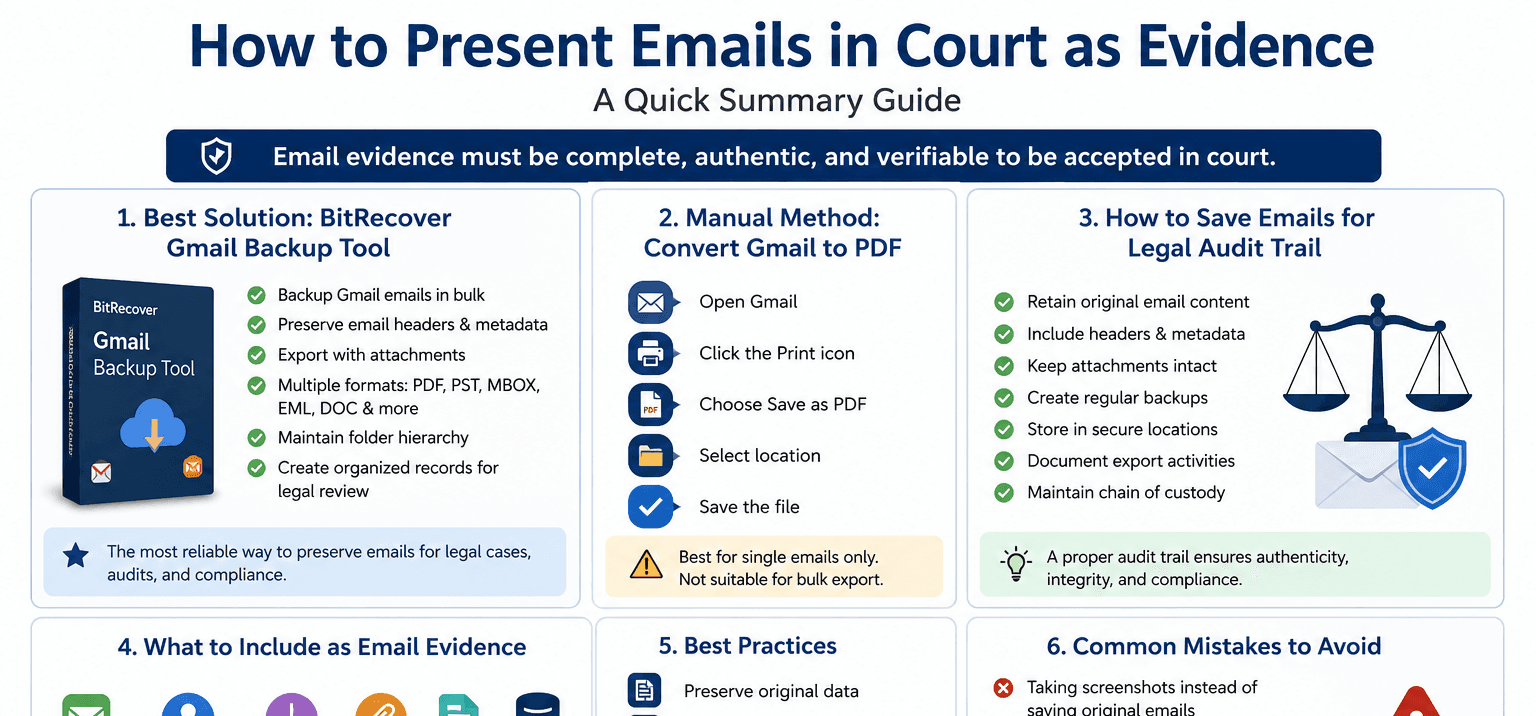
Photo Credit: BitRecover
How to Present Emails in Court as Evidence
How to present emails in court as evidence is a question that comes up when businesses, legal professionals, and individuals need to prove communication records in disputes, investigations, or compliance reviews. The challenge is not simply printing an email. Courts often require complete message details, metadata, timestamps, and a clear chain of custody to establish authenticity.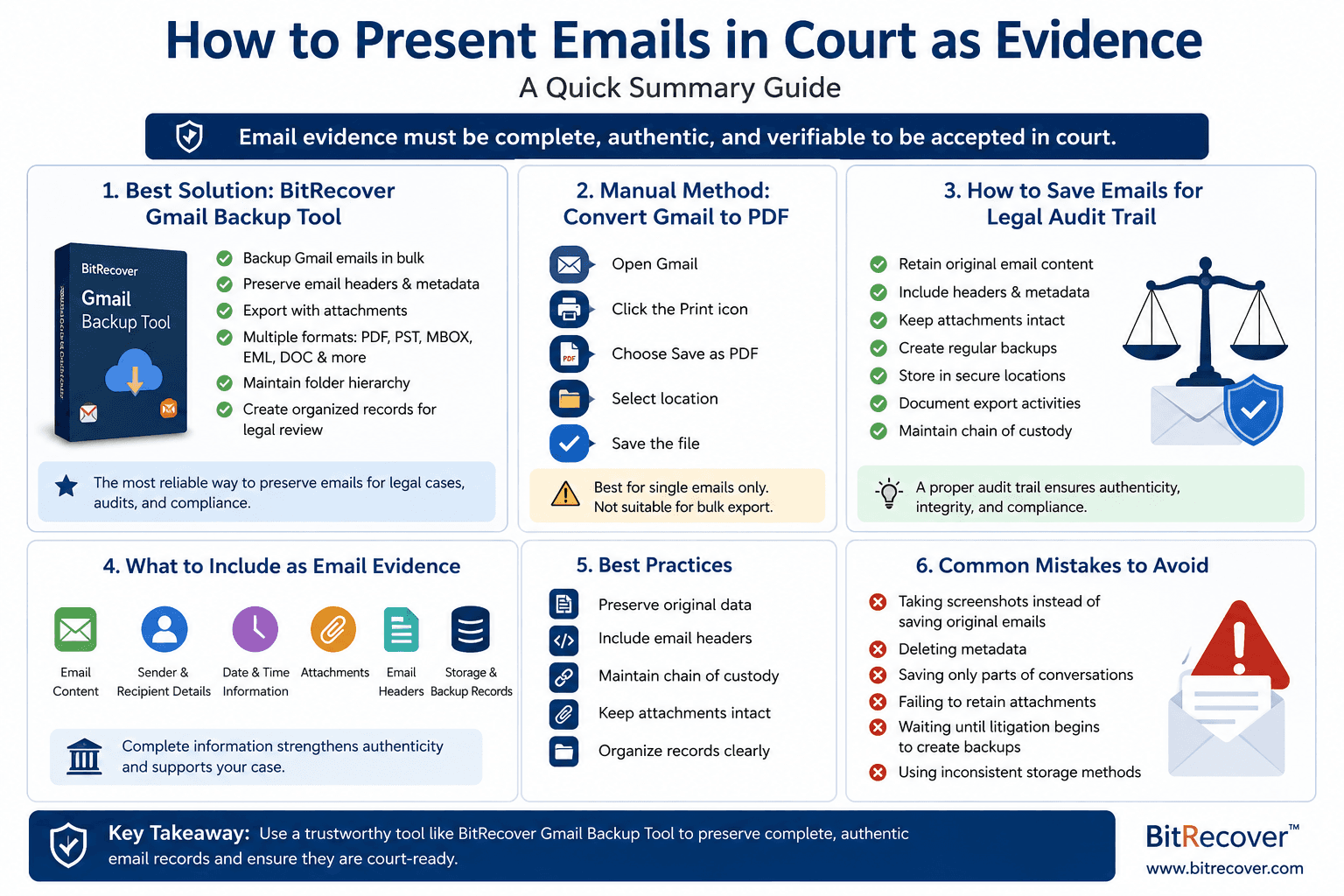
Here's the thing. An email that looks valid on your screen may not always meet legal standards if critical information is missing. That is why preserving emails correctly from the beginning is often more important than presenting them later.
Before exploring manual approaches, using a professional solution like BitRecover Gmail Backup Tool is often the safest option. It helps to convert Gmail to PDF and preserve email content, attachments, header information, folder structure, and timestamps in a way that supports documentation requirements. This reduces the risk of missing data that could weaken evidence during legal review.
Why Email Evidence Matters in Legal Cases?
Email records have become one of the most commonly submitted forms of digital evidence. According to the Electronic Discovery Reference Model (EDRM), electronic communications play a major role in modern litigation and compliance investigations.
Emails can help establish:
• Contract negotiations
• Employee communications
• Customer disputes
• Regulatory compliance
• Financial transactions
• Intellectual property claims
The value of email evidence depends on its authenticity and completeness. Missing headers, altered content, or incomplete message chains can raise questions about credibility. This is why organizations often create structured retention processes and maintain secure backups before legal proceedings begin.
Best Way to Present Emails in Court as Evidence
When preparing email evidence, preserving the original message format should be the first priority. Courts and legal teams often prefer evidence that includes metadata because it helps verify the sender, recipient, date, routing information, and message integrity.
Using the BitRecover Gmail Backup Tool offers several advantages over manual export methods:
• Backup Gmail emails in bulk
• Preserve complete email headers
• Export emails with attachments
• Save emails in PDF, PST, MBOX, EML, DOC, and other formats
• Maintain folder hierarchy
• Create organized records for legal review
• Support large mailbox archiving
What this really means is that users can preserve records before converting them into formats suitable for sharing, reviewing, or presenting as evidence.
Steps to Export Gmail Emails for Legal Purposes Using BitRecover Gmail Backup Tool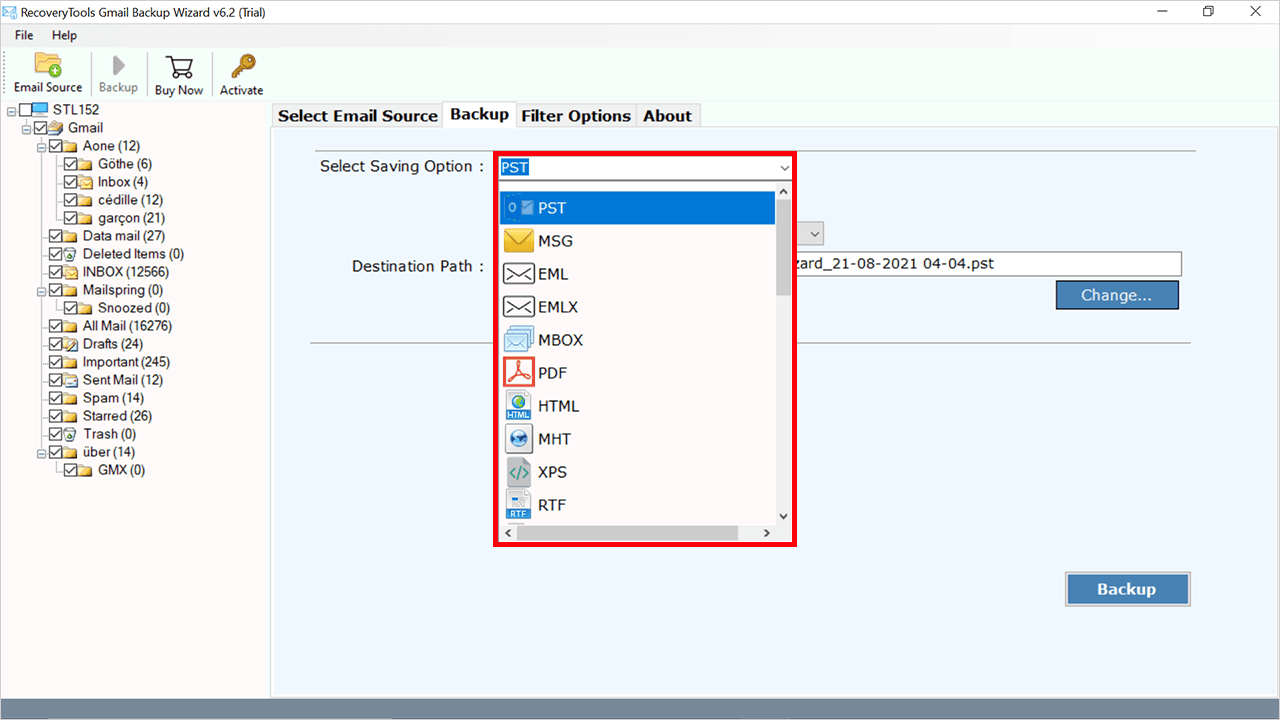
Follow these steps to create legally organized email records:
Step 1: Launch the Tool
Install and open BitRecover Gmail Backup Tool on your system.
Step 2: Add Gmail Credentials
Enter your Gmail account information and authenticate securely.
Step 3: Select Required Mailboxes
Choose specific folders or the entire mailbox for backup.
Step 4: Choose Output Format
Select PDF, EML, PST, or another format depending on legal requirements.
Step 5: Apply Advanced Filters
Use date range, folder, or email-specific filters if needed.
Step 6: Start Backup Process
Click Backup and allow the software to export emails while maintaining original properties.
The result is a structured archive that can be reviewed, shared with legal counsel, or submitted as supporting documentation when required.
Manual Method: Convert Gmail Emails to PDF
Some users only need a small number of emails and may prefer a manual process. One common approach is to convert Gmail to PDF directly from the Gmail interface.
Follow these steps:
1. Open Gmail.
2. Select the email you want to save.
3. Click the Print icon.
4. Choose Save as PDF.
5. Select a storage location.
6. Save the file.
While this method works for individual emails, it has limitations:
• Time-consuming for large mailboxes
• No bulk export capability
• Risk of missing metadata
• Difficult to maintain organized evidence collections
• Manual effort increases significantly during litigation preparation
This is where professional backup software provides a more reliable workflow, especially when handling hundreds or thousands of emails.
How to Save Emails for Legal Audit Trail?
Understanding how to save emails for legal audit trail purposes is essential for businesses that must demonstrate compliance and record retention.
A legal audit trail should include:
• Original email content
• Sender and recipient details
• Date and time information
• Attachments
• Email headers
• Storage records
• Backup history
Best practices include:
• Retain emails in original format whenever possible.
• Create regular backups.
• Store copies in secure locations.
• Avoid editing exported files.
• Maintain documentation of export activities.
Using BitRecover Gmail Backup Tool helps automate many of these requirements by preserving original message properties and generating organized archives that support long-term retention goals.
Best Practices When Submitting Email Evidence in Court
To improve the credibility of email evidence:
Preserve Original Data
Always keep an untouched copy of the original email.
Include Email Headers
Headers provide technical information that helps verify authenticity.
Maintain Chain of Custody
Document how emails were collected, stored, and transferred.
Keep Attachments Intact
Attachments often contain supporting evidence and should remain associated with the original email.
Organize Records Clearly
Group related emails by case, project, or date range for easier review.
These practices help legal teams review information efficiently while reducing questions about evidence integrity.
Common Mistakes to Avoid
Many users unintentionally weaken their evidence by making avoidable mistakes.
Common issues include:
• Taking screenshots instead of preserving original emails
• Deleting metadata
• Saving only portions of conversations
• Failing to retain attachments
• Waiting until litigation begins to create backups
• Using inconsistent storage methods
A proactive backup strategy significantly reduces these risks and provides better protection if legal requests arise later.
Conclusion
How to present emails in court as evidence starts with preserving complete, authentic email records before any legal review takes place. While manual methods can help users convert Gmail to PDF for a small number of messages, they often fall short when handling large-scale legal documentation or compliance requirements.
For users who need reliable records and want to understand how to save emails for legal audit trail purposes, BitRecover Gmail Backup Tool provides a practical solution. Its ability to preserve original email properties, export multiple formats, maintain folder structure, and process bulk mailboxes makes it a strong choice for legal preparation, audits, and long-term record management.
- Technology
- Digital Skills
- Youth
- Global