
How to Remove Duplicate EML Emails While Preserving Folder Structure
Aug 1, 2026
story
Seeking
Feedback


Introduction
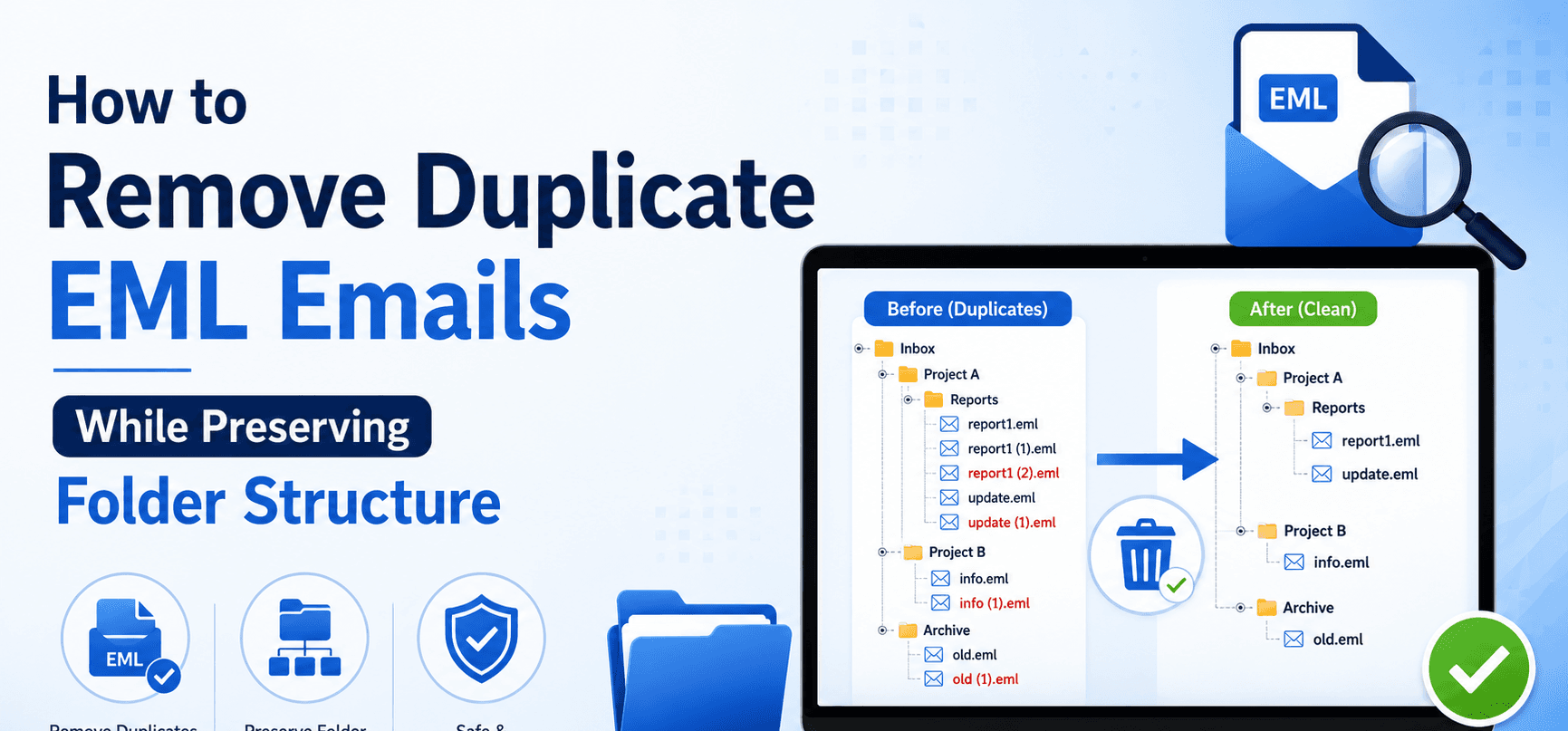
Duplicate EML emails can quickly fill up your email archive, making it difficult to find important messages and increasing storage consumption. This problem usually appears after merging email backups, importing EML files few times or copying email folders between computers. The easy fix is to delete the duplicate emails. But many users fear that this will throw their carefully constructed folder structure out of whack.
You can easily delete duplicate EML emails without changing your existing folders or losing important email data. But with the right approach, you can clean out your email archive, and keep each folder where it belongs.
In this guide, you will learn the safest ways to delete duplicate EML emails, the benefits and limitations of manual techniques, and how professional software can make the process easier while keeping your original folder hierarchy intact.
Why Users Need This
1. Keep Email Archives Organized
People and companies often sort emails into project, client or year folders. This structure makes it so much easier to deal with email in the future.
2. Save Disk Space
Duplicate emails take up unnecessary space. Deleting them will reduce the size of the archive without disturbing the folder structure.
3. Simplify Email Migration
Cleaning duplicate emails before migrating to another email client gives you a smaller and better-organized mailbox.
4. Protect Business Records
A lot of organizations need to maintain the original structure of their email folders for compliance, auditing or record-keeping purposes.
5. Improve Email Search
An archive of emails without duplicates and with the original folder structure makes it much easier to retrieve important messages.
Method 1: Remove Duplicate EML Files Manually
Best for: Small EML file collections.
Steps
• Open the folder with your EML files.
• Sort files by Name, Date, Size.
• Carefully compare similar emails.
• Open matching files to verify they are duplicates.
• Remove only the excess copies.
• Check the remaining folder structure before emptying the Recycle Bin.
Pros
• No other software required.
• Good for a few emails.
• Full manual control.
Cons
• Very time-consuming.
• Hard to find duplicates across multiple folders.
• High risk of accidental deletion
Method 2: Compare email attributes
Best for: Users looking for duplicate emails before deletion.
Steps
• Open the emails you suspect are duplicates.
• Compare the sender and receiver information.
• Look at the subject line.
• Compare the date sent or received.
• Check attachments and message body.
• Delete only confirmed duplicates.
Pros
• Correct if done carefully.
• Prevents accidental deletion.
Cons
• Slow on large archives.
• It is not practical for thousands of emails.
Method 3: Organize Emails Before Cleaning
Best for: Those with multiple backup folders.
Steps
• Backup your EML folders.
• Group folders by project, year or origin.
• Look for folders that are imported twice.
• If necessary, delete duplicate folders that serve no purpose.
• Verify folder structure after cleanup.
Pros
• Assists you in finding duplicate collections.
• Maintains folder structure.
Cons
• Does not automatically find duplicate emails
• Needs careful human inspection.
Professional Solution to Remove Duplicate EML Emails
Manual methods work fairly well with small email collections. They become difficult in case of duplicate emails distributed over hundreds of folders. In these cases, a dedicated solution is a much safer and faster approach.
Softaken EML Duplicate Remover helps to remove duplicate EML emails and maintain the original folder structure. The software scans chosen EML folders, identifies duplicate emails based on various comparison criteria and removes only the duplicate copies without affecting the rest of the mailbox organization.
The software supports bulk processing, meaning users can scan thousands of EML files from various folders in one go. During the duplicate removal process, it retains email formatting, attachments, metadata, and the entire folder hierarchy. This makes it suitable for personal archives, as well as for business email collections.
Key features and benefits:
• Securely removes duplicate EML emails.
• Keeps original folder structure.
• It allows for batch processing of multiple folders.
• Retains email formatting and metadata
• Keeps attachments.
• Works with big EML files.
• The interface is both beginner and user-friendly.
Final Thoughts
Having duplicate EML emails in your email archive can be challenging to deal with, especially if they are scattered across multiple folders. Manual methods can help you with a few duplicate emails but as your email collection grows they become inefficient and risky.
If you want to retain your folder structure, a dedicated solution is often the safest bet. Softaken EML Duplicate Remover makes it easy to clean up by deleting only duplicate emails and leaving your folders, attachments, formatting and original email organization untouched. Whether you are dealing with personal e-mail backups or corporate archives, the right choice will help you keep your mailbox clean and well-organized.
FAQs (Frequently Asked Questions)
1. Can I remove duplicate EML emails without changing my folder structure?
Yes. Professional duplicate removal software removes duplicate emails only and preserves the original folder hierarchy.
2. Will my email attachments remain safe?
Yes. Good duplicate removal tools leave attachments in the original emails behind.
3. Can I process multiple EML folders at once?
Yes. A professional tools offer batch processing for multiple folders and large email archives.
4. Is it necessary to create a backup before removing duplicates?
Yes. Before you do anything, make a backup of your email archive.
5. Does EML Duplicate Remover support big EML files?
Yes. The software is capable of processing even large EML archives without degrading the structure of folders or the integrity of emails.
- Technology
- Digital Skills
- Global